# Chroma-Key

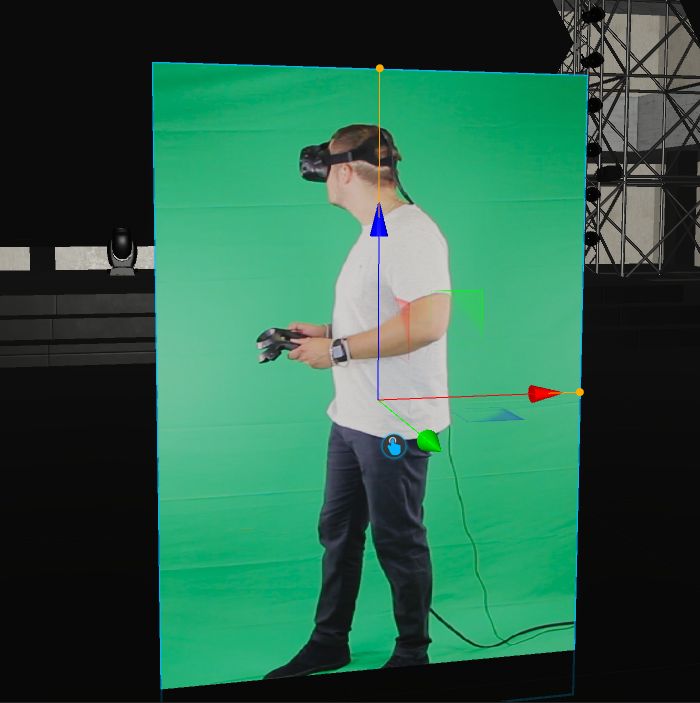
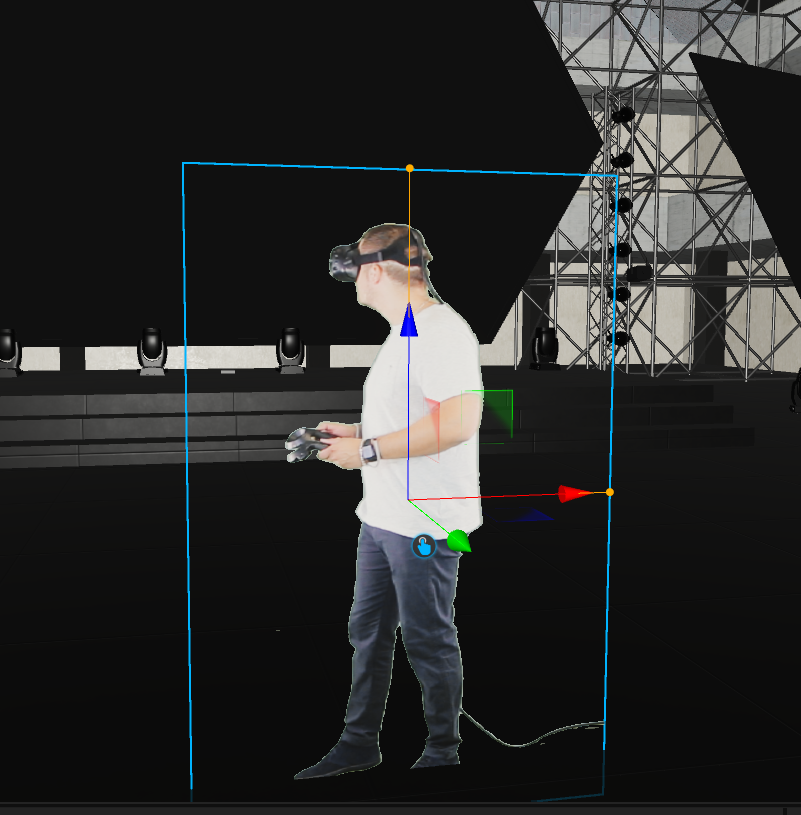
Especially for virtual events we have added a proper chroma-key feature to mask out defined colors from the diffuse channel.&#x20;

<div><figure><img src="https://content.gitbook.com/content/SJPsyh5CBOise9BtVNGO/blobs/FGRtFz4DAao2rcKhS87F/image.png" alt=""><figcaption><p>Without</p></figcaption></figure> <figure><img src="https://content.gitbook.com/content/SJPsyh5CBOise9BtVNGO/blobs/LPmXHHlwgu3AV3nclGiK/image.png" alt=""><figcaption><p>Chroma-Key applied</p></figcaption></figure></div>

In the PBR Material Settings at the Transparency category, you can find all Chromakey settings.&#x20;

<table data-header-hidden><thead><tr><th width="274"></th><th></th></tr></thead><tbody><tr><td>Chroma-Key</td><td>Activates the chroma-key filter</td></tr><tr><td>Chroma-Key Color</td><td>The color to be removed</td></tr><tr><td>Threshold high</td><td>Variable hue threshold</td></tr><tr><td>Threshold low</td><td>Variable hue threshold</td></tr><tr><td>Despill</td><td>Removes the green tint </td></tr><tr><td>Despill intensity</td><td>Amount of despill</td></tr><tr><td>Despill luminance</td><td>Luminance of despill</td></tr></tbody></table>
